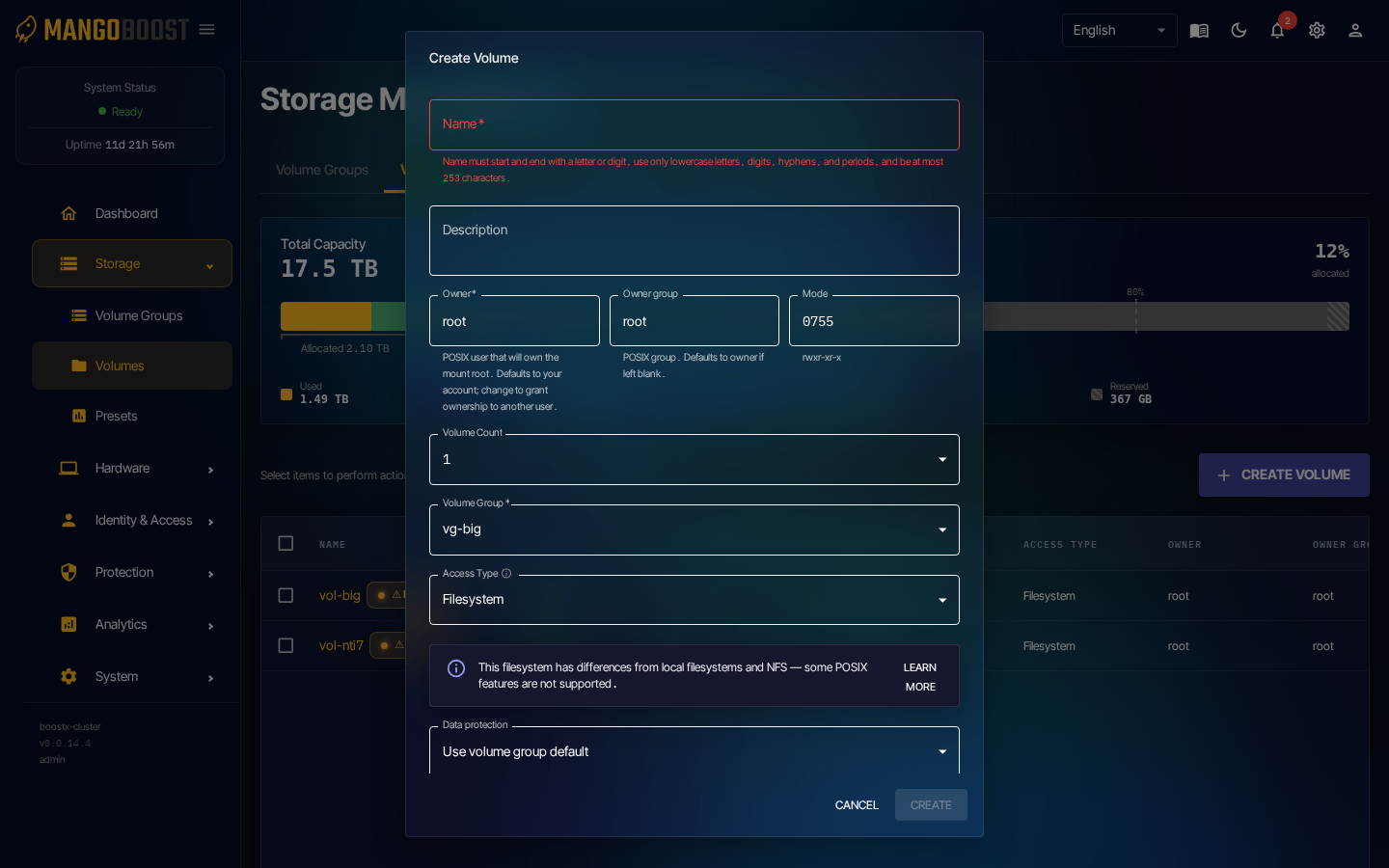
2. Create a Volume
Steps
- Go to Storage → Volumes
- Click CREATE VOLUME in the top right
- Required fields:
- Name: volume name (lowercase letters, numbers, hyphens)
- Volume Group: select the parent group
- Size: capacity (available capacity in the group is shown)
- Optional fields:
- Access Type: Filesystem (for FUSE mount)
- Data protection: using the VolumeGroup default is recommended
- Click CREATE → wait for status to transition from Provisioning → Ready